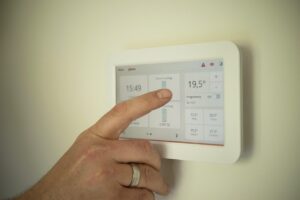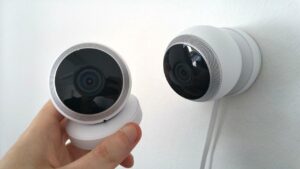

At 10:30 p.m., the hallway light turns on softly when someone gets out of bed. Ten minutes after the family leaves in the morning, selected lights switch off. After lunch, a robot vacuum runs only because the floor was cleared first.
These routines are useful because they remove small, repetitive actions without taking control away from the people who live in the home.
Good home automation is not measured by the number of connected devices. It is measured by whether the routine works predictably, remains easy to override, and fails without creating a dangerous situation.
A voice command still requires you to initiate the action
Saying “turn off the bedroom lamp” is convenient remote control. An automation performs a defined action after a trigger or condition occurs, without requiring the command each time.
Every useful automation has four parts
A routine becomes easier to understand and troubleshoot when it can be described as a short recipe.
Trigger
The event that begins the routine, such as a time, sunset, a door opening, motion, a temperature change, or a button press.
Condition
An optional limit such as “only after dark,” “only when someone is home,” or “only on weekdays.”
Action
What the device does: turn on a light, adjust a thermostat, send a notification, or begin a supported cleaning cycle.
Exit rule
How the action ends or returns to normal, such as switching off after five minutes or restoring the normal temperature later.
A routine without an exit rule often creates a second problem
A motion-triggered light that never turns off, a thermostat setback that does not restore comfort, or a notification that repeats every minute may create more work than the original manual task.
Which daily tasks are good candidates?
The safest first automations are frequent, reversible, easy to observe, and low-consequence when they fail.
| Task characteristic | Good first automation | Needs additional review | Poor beginner choice |
|---|---|---|---|
| Frequency | Repeated most days | Used only occasionally | Rare event with no clear test method |
| Manual fallback | A normal switch or button still works | Requires an app when the network fails | No reliable manual control |
| Failure consequence | Minor inconvenience | Possible comfort, privacy, or access issue | Fire, flooding, injury, lockout, or major property risk |
| Feedback | The result is visible or confirmed | The app reports success but the physical result is unclear | No way to know whether the action happened |
| Household understanding | Everyone can explain and override it | Only one person understands the setup | The routine changes locks, alarms, or equipment without warning |
Draft a simple automation recipe
Choose a trigger, an action, and the type of device involved. The planner produces a basic routine description and highlights whether additional safety review is needed.
Five routines that solve ordinary problems
Use low-brightness light only when it is needed
This can make bathrooms, stairs, and hallways easier to navigate without leaving bright lights on throughout the night.
A motion sensor does not necessarily know that someone remains still in the room. Set the timeout long enough for the real activity and keep the ordinary switch usable.
Start with devices that are safe to turn off
A dedicated button near the exit may be more reliable than relying only on phone geofencing, especially when several people live in the home.
Do not include medical equipment, refrigerators, networking equipment, security hubs, or any device that must remain powered.
Use light and reminders rather than risky appliance control
This may support a consistent morning without automatically switching on a cooking or heat-producing appliance.
A coffee maker should be automated only through a feature and procedure specifically designed and approved by its manufacturer. A generic smart plug does not make an unattended appliance safe.
Avoid automatic heat appliancesAutomate the cycle, not the floor preparation
Remove cables, clothing, small toys, liquid spills, fragile items, and pet waste before the robot begins. Close access to areas where the device could become trapped or fall.
A schedule is useful only when the floor is normally ready at that time. A manual button may work better in unpredictable households.
Use gradual, equipment-compatible changes
Smart thermostat savings depend on the equipment, climate, schedule, previous habits, and configuration. An automation that is uncomfortable will be overridden repeatedly.
Heat pumps, dual-fuel systems, multi-stage equipment, zoning, and communicating HVAC controls may require special compatibility and recovery settings.
Use smart plugs only for appropriate loads
A smart plug is a switch with connectivity. It does not change the electrical requirements or operating risks of the appliance connected to it.
Often reasonable after checking ratings
- Table and floor lamps
- Decorative lighting
- Some fans whose manufacturer permits switched operation
- Low-power electronics that tolerate power interruption
- Devices that retain safe settings after power returns
Do not automate casually
- Portable space heaters
- Irons and hair-styling tools
- Hot plates, ovens, and cooking appliances
- Electric blankets and heating pads
- Medical or life-support equipment
- Pumps, motors, compressors, and high-load appliances without explicit compatibility
Three checks are required before connecting an appliance
Confirm that the smart plug is approved and rated for the electrical load, that the appliance manufacturer permits operation through a switched outlet, and that the appliance returns to a safe state after power loss and restoration.
If the appliance should not be left operating while nobody is present, a schedule or phone app should not be used to make unattended operation routine.
You do not need a voice assistant to automate a home
Direct Wi-Fi devices
Connect to the home router and are often controlled through the manufacturer’s app. They can be simple for a few devices but may create several separate apps as the home grows.
Hub-based devices
Use a central controller or bridge. Sensors and switches may communicate through technologies such as Thread, Zigbee, or Z-Wave depending on the system.
Smart-home platforms
Provide a common place for routines, rooms, users, and voice control. Product support and available features still vary by platform, device type, and region.
What Matter does—and what it does not do
Matter is an IP-based smart-home connectivity standard designed to improve interoperability between certified devices and participating platforms. Matter devices may communicate over Wi-Fi, Ethernet, or Thread, depending on the product.
A Matter logo does not guarantee that every advanced manufacturer feature will appear in every app. Confirm the device category, platform support, required controller, Thread border-router requirements, and available functions before buying.
Design the routine for failure, not only for success
Connected devices can lose power, internet access, cloud service, battery charge, sensor alignment, or communication with the hub. A routine should remain understandable when one part stops working.
Check the restart state
Some bulbs turn on after power returns, while others restore the previous setting. Configure this when the product allows it.
Know what remains local
App access and cloud routines may stop, while local buttons or hub-based routines may continue depending on the system.
Create visible reminders
Low-battery alerts are useful only when they are noticed and replacement batteries are available.
Adjust the trigger
Pets, sunlight, curtains, heating vents, phone location errors, and household behavior can create incorrect triggers.
Manual control should remain obvious
People should still be able to use a lamp, light switch, thermostat, fan, or cleaning device without remembering an app screen or asking the person who installed it.
Place labels or brief instructions where they help guests, caregivers, older relatives, children, and other household members understand unusual controls.
Test one automation for seven days
Do not add a second routine until the first one has operated through different days, schedules, household members, and network conditions.
Confirm the trigger and action manually.
Check the timing and exit rule.
Ask another resident to use the manual control.
Review false triggers and missed events.
Check notifications outside the home.
Observe weekend or irregular behavior.
Keep, adjust, simplify, or remove the routine.
Automation can support energy savings, but it does not guarantee them
Useful when it corrects real waste
Scheduling and occupancy-based control may reduce unnecessary lighting, heating, cooling, and plug loads. The result depends on what was happening before the automation was installed.
Energy-focused routines should
- Turn off selected lights when rooms are no longer being used.
- Use an appropriate thermostat schedule rather than extreme temperature changes.
- Control only plug loads that are safe to switch automatically.
- Provide feedback so the household can see when settings increase runtime.
- Preserve comfort and manual control so users do not disable the system.
A connected device also consumes some electricity and may encourage additional equipment purchases. Evaluate the complete routine rather than assuming that every “smart” product is automatically an energy-saving product.
Protect the accounts behind the routines
Use a unique password for each smart-home account
Do not reuse the password from email, banking, shopping, or social media. A password manager can help maintain unique credentials.
Enable two-factor authentication when it is available
Protect the email account or phone number used for password recovery as carefully as the smart-home account itself.
Install firmware and app updates
Use the manufacturer’s official app and review whether automatic updates are available for the device, hub, phone app, and router.
Review household access
Remove former residents, old guests, unused integrations, previous phones, and accounts that no longer require control.
Secure the home network
Change default router credentials, use current Wi-Fi security supported by the equipment, and keep the router software updated.
Review data collection before enabling sensitive triggers
Location routines, voice assistants, cameras, occupancy detection, and energy reports may process household behavior and account data.
Software support is part of the purchase
Before buying a connected device, look for information about how long the manufacturer plans to provide software and security updates. Also consider what remains functional if cloud service, app support, or the company itself disappears.
Renter-friendly automation should remain removable
Usually lower-impact choices
- Smart bulbs in compatible lamps
- Properly rated smart plugs
- Freestanding speakers and hubs
- Battery-powered sensors with suitable removable mounting
- Robot vacuums
- Portable smart buttons
Confirm before altering
- Hardwired wall switches
- Thermostat replacement
- Door locks and access systems
- Exterior cameras and doorbells
- Drilling doors, tile, masonry, or finished surfaces
- Changes to building alarms or shared systems
Keep original hardware and document the installation when removable devices replace an existing part. Lease terms, building rules, local requirements, and equipment ownership vary.
Common mistakes that make a smart home harder to live with
Every additional account, integration, and app creates another place for updates, permissions, notifications, and troubleshooting.
A person reading, sleeping, bathing, or working quietly may remain still long enough for a motion-based routine to assume the room is empty.
A remote switch does not make a heater, iron, cooking appliance, or damaged device suitable for unattended operation.
A time schedule, geofence, motion sensor, voice command, and energy routine may all issue different instructions to the same device.
An automation that surprises, records, locks out, wakes, or inconveniences another person is not a successful household system.
Remove automations that are constantly overridden, generate low-value alerts, or solve a problem that no longer exists.
Tasks that should not be casual beginner automations
Automatic unlocking
Do not rely on phone location alone to unlock a door. Location can be delayed, incorrect, unavailable, or triggered by someone approaching without intending to enter.
Unattended heating and cooking
Portable heaters, irons, ovens, hot plates, hair tools, and similar devices can create serious consequences when activated unexpectedly.
Water control without protection
Pumps, valves, irrigation, filling, and water-using equipment require correct installation, leak planning, pressure compatibility, and reliable shutoff behavior.
Safety systems without professional review
Smoke alarms, carbon monoxide alarms, fire systems, gas equipment, security panels, and building access systems should not be modified through improvised routines.
Automate one repeated decision, then stop and observe
Choose a small annoyance that happens often. Describe the trigger, condition, action, and exit rule in one sentence. Use a device that remains manually controllable and whose failure would create inconvenience rather than danger.
Test the routine for a full week, explain it to everyone in the home, review account security, and remove rules that generate confusion or unnecessary notifications.
A genuinely smart home is not one that acts constantly. It is one that performs a small number of useful actions predictably, safely, and without demanding continuous attention.
Official smart-home, energy, and security resources
- Connectivity Standards Alliance: Matter smart-home standard
- ENERGY STAR: Smart Home Tips for Saving Energy
- ENERGY STAR: Smart Home Energy Management Systems
- Federal Trade Commission: Securing Internet-Connected Devices at Home
- Federal Trade Commission: Software support for smart devices
- Cybersecurity and Infrastructure Security Agency: Secure Our World
Editorial note: This article was prepared by the Dona Living Editorial Team for general smart-home education. Device compatibility, electrical ratings, platform support, software features, data practices, lease requirements, energy results, and local rules vary. Follow product instructions and obtain qualified assistance for electrical work, HVAC controls, locks, security systems, gas equipment, water valves, and other higher-risk installations.

Dona Living Editorial Team creates practical, well-researched content about home organization, cleaning, décor, and smart living. Our goal is to help readers make everyday life at home simpler, more comfortable, and more efficient through clear guides, realistic ideas, and useful solutions.