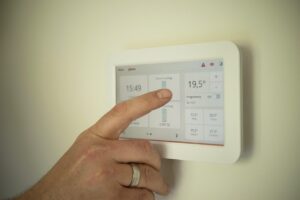
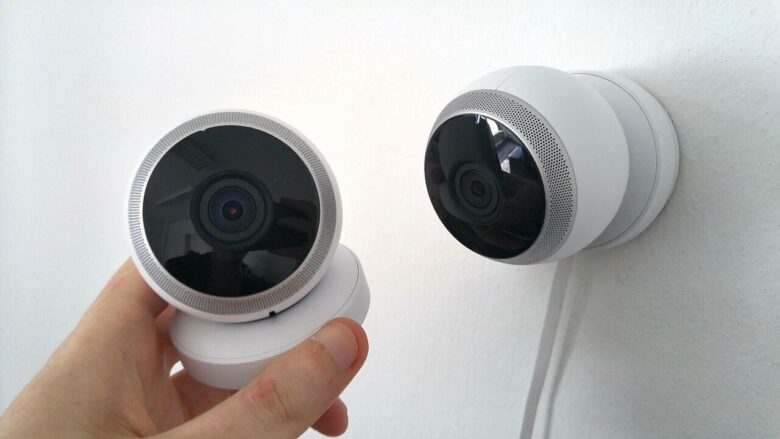
The front door is closed, the camera is online, and a notification appears on the phone. But what exactly has the security gadget accomplished?
Some devices detect an opening. Others provide a picture, manage access, make noise, or control a light. None of them performs all of those jobs, and none guarantees that an intrusion, theft, or emergency will be prevented.
A useful setup begins by identifying one realistic vulnerability and choosing the smallest combination of physical security, detection, verification, and response that addresses it.
Security technology is an additional layer, not a substitute for a working lock, a door that closes properly, safe window hardware, emergency planning, or prompt contact with local authorities during an active threat.
Define the security problem in plain language
“I want better security” is too broad to guide a purchase. A clearer statement connects a location, an event, and the action you want to take.
Which point needs attention: the main door, balcony, ground-floor window, back entrance, storage room, package area, or shared entry?
Do you need to know when something opens, when a person approaches, when glass breaks, when an access code is used, or when movement continues inside the home?
Will the alert help you check a camera, contact a neighbor, speak through a doorbell, call building management, or contact emergency services?
What restrictions apply to drilling, exterior cameras, lock replacement, hallway recording, noise, wiring, subscriptions, or shared-household consent?
A studio apartment with one controlled entrance may need fewer devices than a small ground-floor home with several accessible windows. Buying the same package for both layouts can create unnecessary cameras in one home and unmonitored entry points in the other.
Think in layers instead of relying on one gadget
Physical condition
Doors, locks, frames, windows, hinges, lighting, and building access should work as intended.
Detection
Contact, motion, vibration, or glass-break sensors report a specific event.
Verification
A carefully positioned camera or doorbell may help confirm what caused the alert.
Attention
Lighting, an alarm, a siren, or an audible chime can draw attention to an event.
Response and digital security
Account protection, working notifications, emergency contacts, and clear household procedures determine what happens next.
A camera is primarily a verification device. It may also make a visitor aware that video is being recorded, but it does not physically reinforce a weak door or guarantee that someone will respond to an alert.
Build a starter plan for your layout
Choose the closest description of the home, the main concern, and the current camera restrictions. The tool produces a conservative starting plan rather than a shopping list.
Which gadgets deserve consideration first?
Door or window contact sensor
Good first layerTwo aligned parts report when a door or window changes from closed to open. This is often the least invasive way to monitor a main entrance, balcony door, or accessible window.
Limit: it reports an opening but does not identify the person or strengthen the entry point. Adhesive, alignment, battery condition, hub requirements, and frame shape all matter.
Video doorbell or entry camera
Permission dependentUseful for screening visitors, confirming deliveries, and reviewing activity around an entrance when the placement is legal, permitted, and respectful of neighboring spaces.
Limit: it may record an incident without preventing it. Cloud history, advanced detection, and longer recordings may require a subscription.
Indoor camera with privacy controls
Use selectivelyAn indoor camera can provide visual confirmation near an entry area when the home is empty. A physical shutter, visible status light, scheduling, and simple sharing controls improve everyday privacy.
Limit: cameras should not be placed where residents, guests, workers, or roommates reasonably expect privacy.
Motion sensor
Secondary detectionCan cover a hallway or interior route after someone has entered. It may be useful when several doors lead into one central area.
Limit: pets, moving curtains, sunlight, heating vents, insects, and sensitivity settings may cause unwanted alerts. A contact sensor may be more specific for one door.
Smart lock or keypad
Research carefullySeparate access codes can reduce the need to share or hide spare keys and can make temporary access easier to manage.
Limit: compatibility, landlord access, emergency entry, battery failure, door alignment, fire-safety rules, and lease requirements must be understood before installation.
Smart bulb or properly rated smart plug
Low-installation optionScheduled lighting can prevent a home from remaining dark throughout a normal evening and can improve visibility near an entrance.
Limit: lighting is not an alarm system. Use realistic schedules, retain manual control, and connect only loads approved by the device manufacturer.
Glass-break or vibration sensor
Specific use caseMay be appropriate for an exposed ground-floor window when ordinary opening detection does not cover the concern. Some products listen for sound, while others detect vibration.
Limit: range, glass type, placement, background noise, sensitivity, and false-alert behavior vary. Confirm that broken glass is the realistic risk you need to detect.
Local siren or monitored alarm
Response layerA siren can make a triggered sensor noticeable. Professional monitoring may add a formal response process when the system and local service are configured correctly.
Limit: false alarms, building noise rules, permits, contracts, cancellation terms, cellular backup, and emergency-response procedures require review.
Match the device to what it can actually do
| Need | Possible device | What it provides | What it does not provide |
|---|---|---|---|
| Know when the front door opens | Contact sensor | A specific open or closed event | Identity, video, or physical reinforcement |
| See a visitor before opening | Doorbell or entry camera | Live or recorded visual context | A guarantee that footage will stop unwanted behavior |
| Manage temporary access | Keypad or smart lock | Individual codes and access records on supported models | Automatic permission from a landlord or compatibility with every door |
| Notice movement inside | Motion sensor | Movement detection within its coverage area | The exact identity or intent of the person or animal |
| Make an event noticeable | Siren, chime, or lighting automation | Sound or visible attention | A guaranteed police, security, or neighbor response |
| Protect a delivered package | Locker, secure delivery location, pickup option, or delivery instructions | A physical change to delivery handling | A camera alone only records or reports activity |
Camera placement requires a privacy plan
Your own interior entry zone
A narrow view of the inside of the main entrance may provide useful confirmation while avoiding bedrooms, bathrooms, desks, screens, and other private areas.
Shared hallway or exterior approach
Confirm lease, condominium, building, and local requirements. Limit the angle and recording area so neighboring doors and windows are not captured unnecessarily.
Private or sensitive spaces
Bedrooms, bathrooms, changing areas, private roommate spaces, and locations where guests reasonably expect privacy are inappropriate for ordinary home-security recording.
Shared housing changes the decision
A device may be technically easy to install and still be inappropriate in a home with roommates, adult family members, caregivers, cleaners, or frequent guests. Discuss what is recorded, when recording occurs, who can view footage, how long it is retained, and how access is removed.
Renter-friendly does not automatically mean lease-friendly
Lower-impact options
- Battery-powered contact sensors
- Freestanding indoor cameras used with consent
- Smart bulbs and properly rated plugs
- Portable hubs and indoor chimes
- Removable mounts approved for the surface
- Retrofit devices that preserve original hardware
Confirm before changing
- Exterior doorbell or hallway cameras
- Replacing cylinders or deadbolts
- Drilling doors, frames, masonry, or exterior walls
- Adding loud sirens
- Modifying common areas
- Connecting to an existing building alarm
Do not install any device that prevents normal emergency exit, interferes with required building access, damages fire-rated doors, or leaves occupants without a reliable backup-entry method. When door or lock compatibility is unclear, consult the property manager, manufacturer, or a qualified locksmith.
Secure the account before depending on the camera
A connected camera, lock, or alarm is also an online account. Reused passwords, forgotten shared users, outdated apps, and insecure router settings can undermine a well-positioned device.
Use a unique password for every security account
Do not reuse the password from email, social media, shopping, or another smart-home service. A password manager can help create and retain unique credentials.
Enable two-factor authentication when available
This adds another verification step if a password is stolen. Protect the email or phone account used for recovery as well.
Update the router, app, hub, and device firmware
Turn on automatic updates where appropriate and periodically confirm that the manufacturer continues to provide support.
Review every person and integration with access
Remove former roommates, previous partners, old guests, unused voice-assistant links, and services that no longer need access.
Check encryption and router settings
Use WPA3 Personal when supported, or WPA2 Personal when WPA3 is unavailable. Replace default router administration credentials and keep the router firewall enabled.
Plan for the end of the device’s life
Factory-reset connected devices before selling, donating, recycling, or returning them. Remove them from the account and delete stored access when appropriate.
A separate smart-device network is optional, not automatic
An isolated IoT or guest network can reduce exposure between connected devices and personal computers when the router supports appropriate separation. However, some products require local communication with phones, hubs, or controllers. Follow the router and device manufacturers’ instructions rather than moving devices blindly and discovering that essential functions no longer work.
Calculate the ongoing cost, not only the sale price
Check how much video history is included, whether local storage is supported, and what happens when the free period ends.
Person detection, package alerts, extended clips, multiple cameras, and professional monitoring may require recurring plans.
Consider batteries, charging frequency, solar accessories, power adapters, and performance during an outage.
A low-cost device may become poor value if software support ends, replacement parts are unavailable, or account security is unclear.
For package concerns, change the delivery process
A video doorbell can tell you that a package arrived or record someone taking it. Physical protection usually requires a different delivery arrangement.
Use a staffed reception area, secure package room, locker, or approved delivery point when available.
Use delivery alerts, signature service, hold-for-pickup, or location instructions supported by the carrier.
For a small house, consider a properly installed delivery box or a location that is not visible from the street.
Use a trusted neighbor arrangement only when both parties agree and the package can be collected promptly.
What to do when a camera or security account behaves strangely
Unexpected movement, unknown users, changed settings, unfamiliar login alerts, unexplained indicator lights, or missing recordings deserve prompt investigation.
From a trusted device, change the password and enable two-factor authentication if it was not already active.
Review logged-in sessions, shared users, integrations, and recovery information. Remove anything you do not recognize.
Install current app, device, hub, and router updates. Check the manufacturer’s official security notices.
Use the manufacturer’s verified support channel when you cannot explain the behavior or recover control safely.
If an indoor camera creates an immediate privacy concern, unplug or cover it when this can be done safely while the account is investigated.
Contact local authorities or emergency services when unusual device activity is connected to an active threat, break-in, stalking concern, or immediate safety risk.
Review the system instead of installing and forgetting it
Device condition
- Battery level and charging
- Adhesive and mounting stability
- Camera view and obstructions
- Sensor alignment
- Weather exposure
Account condition
- Shared users
- Login alerts
- Two-factor authentication
- App permissions
- Firmware and app updates
Response condition
- Notification delivery
- Emergency contacts
- Siren or chime operation
- Backup-entry method
- Subscription and storage status
Mistakes that create the appearance of security
Cameras may duplicate views while the main door, accessible window, account security, or response plan remains unaddressed.
A smart lock cannot correct a misaligned deadbolt, damaged frame, loose hardware, or door that does not close reliably.
Repeated low-value notifications can lead residents to ignore the alert that actually matters. Use zones, schedules, and sensitivity settings carefully.
Separate temporary codes are easier to revoke and audit than one code given to guests, cleaners, contractors, and former residents.
A wide camera angle may create privacy conflict without adding useful information about the entrance being protected.
Some local alarms, sensors, and manual controls may continue working during an internet outage, while cloud alerts and remote viewing may not. Learn the behavior before depending on the system.
When DIY gadgets are enough—and when they are not
A simple DIY setup may be reasonable for
- One or two clearly defined entry points
- Basic open or closed notifications
- Renter-friendly indoor sensors
- One carefully positioned camera
- Scheduled lighting
- A household willing to maintain accounts and batteries
Qualified help may be appropriate for
- Repeated break-ins, threats, stalking, or targeted incidents
- Door or frame reinforcement
- High-risk access points
- Wired cameras and exterior electrical work
- Monitored alarm integration
- Complex locks, access control, or building systems
- Business inventory or sensitive equipment stored at home
Questions people usually ask before buying
What should an apartment renter buy first?
A contact sensor on the main door is often a low-impact starting point. It provides a specific alert without recording the hallway. Add visual verification only when it solves a clear need and the placement is permitted.
Do security cameras work without a subscription?
Some provide live viewing, notifications, short clips, or local storage without a plan. Others reserve meaningful history and detection features for paid tiers. Compare the free functions before purchasing.
Is a retrofit smart lock automatically acceptable in a rental?
No. Preserving the exterior keyway may reduce the physical change, but lease terms, emergency access, door compatibility, building rules, and restoration requirements still apply.
How many devices does a small home need?
There is no correct number. Begin with the main entrance and any genuinely accessible secondary point. Expand only after testing alerts, privacy, battery life, and the household response.
A smaller home benefits from a smaller, clearer system
Begin with the physical condition of the entrance. Add a contact sensor when you need a precise opening alert. Add a camera only when visual confirmation provides enough value to justify the privacy, subscription, placement, and account responsibilities.
Use individual access codes, protect accounts with unique passwords and two-factor authentication, keep the router and devices updated, and remove former users promptly.
The strongest small-home setup is not the one with the most gadgets. It is the one in which every device has a defined job, every alert has a response, and every resident understands what is being monitored.
Official security and privacy resources
- Federal Trade Commission: How to Secure Your Home Security Cameras
- Federal Trade Commission: How to Secure Your Home Wi-Fi Network
- Federal Trade Commission: Securing Internet-Connected Devices at Home
- Federal Trade Commission: Using Two-Factor Authentication
- Cybersecurity and Infrastructure Security Agency: Home Network Security
- National Institute of Standards and Technology: Cybersecurity for IoT Program
Editorial note: This guide was prepared by the Dona Living Editorial Team for general educational purposes. It does not replace landlord approval, building rules, local recording and privacy laws, fire-safety requirements, professional security assessment, locksmith services, emergency assistance, or manufacturer instructions. No connected device can guarantee the prevention of theft, intrusion, account compromise, or another harmful event.

Dona Living Editorial Team creates practical, well-researched content about home organization, cleaning, décor, and smart living. Our goal is to help readers make everyday life at home simpler, more comfortable, and more efficient through clear guides, realistic ideas, and useful solutions.