The best first smart-home device is not necessarily the newest or most advanced one. It is the device that removes a small, repeated inconvenience without creating three new problems.
For one household, that might be a bedside lamp that switches off automatically. For another, it may be a water-leak sensor under the kitchen sink or a smart plug that keeps holiday lights on a reliable schedule.
A beginner setup should be easy to understand, affordable to expand, and simple enough that everyone in the home can still use it when the internet, app, or voice assistant is unavailable.
Start with one room, one problem, and one automation.
Use the system for at least a week before buying devices for the rest of the home.
Begin with the problem, not the product
Smart-home shopping becomes confusing when you begin by browsing devices instead of identifying what you want to improve. A product can be technically impressive and still add no meaningful value to your routine.
Before opening a shopping app, write down one repeated inconvenience. The answer usually points toward a practical first device.
I regularly forget to turn off a lamp
Start with a smart bulb or an appropriately rated smart plug and create a bedtime schedule.
A hallway is too dark at night
Use a smart light with a motion sensor and a low nighttime brightness level.
I worry about leaks while away
Place a water-leak sensor near a sink, washing machine, water heater, or other vulnerable area.
I want easier control without reaching for my phone
Add a compatible smart speaker, display, wireless button, or physical smart-home controller.
If you cannot describe the problem a device will solve, delay the purchase. Smart homes are most useful when technology disappears into a routine rather than demanding constant attention.
Choose one main ecosystem before buying anything
Your ecosystem is the main platform used to organize rooms, control devices, create routines, and share access with other members of the household. Common choices include Amazon Alexa, Google Home, Apple Home, and Samsung SmartThings.
You do not have to remain with one brand forever. However, choosing one primary control platform keeps the first setup easier to understand and reduces duplicated rooms, conflicting routines, and unnecessary apps.
| Platform | May suit you when… | Check before buying |
|---|---|---|
| Amazon Alexa | You already use Echo speakers or prefer broad voice-control support. | Look for official Alexa compatibility, required hubs, subscriptions, and supported routine features. |
| Google Home | Your household uses Android, Google services, Chromecast, or Nest products. | Confirm Google Home support and whether remote control or Thread devices require compatible hub hardware. |
| Apple Home | Your household primarily uses iPhone, Apple Watch, Apple TV, or HomePod. | Check Apple Home and Matter compatibility, remote-access requirements, and Thread border-router support. |
| Samsung SmartThings | You want broader automation options or already own compatible Samsung and hub-based devices. | Confirm the exact device type, hub requirement, protocol, and available automation controls. |
Matter helps, but it does not remove every compatibility check
Matter is an IP-based smart-home standard designed to improve interoperability across participating platforms. A Matter-certified product may be easier to add to more than one compatible ecosystem.
However, platform support, device categories, advanced functions, manufacturer-specific features, and required controller hardware can still differ. Check the product’s official compatibility page instead of relying only on a logo printed on the box.
A sensible three-part beginner setup
You do not need to buy a complete security system, replace every light, or install a wall-mounted control panel. A small setup can teach you nearly everything you need to know about pairing, naming, rooms, schedules, voice commands, and automation.
Choose your controller
This can be the platform app on your phone, a smart speaker, a display, or compatible hub hardware.
- Use one primary household account.
- Create clear room names.
- Invite other users carefully.
Add one visible device
A bulb or plug gives an immediate result and is easy to test without altering important home systems.
- Choose one frequently used room.
- Keep manual control available.
- Check the electrical rating.
Add one useful sensor
A motion, contact, temperature, or water sensor allows the home to respond to a condition automatically.
- Check battery type and life.
- Confirm hub requirements.
- Test notifications before relying on them.
Which devices are worth buying first?
Smart bulbs or smart plugs: which should you choose?
Both are beginner-friendly, but they solve different problems.
| Question | Choose a smart bulb when… | Choose a smart plug when… |
|---|---|---|
| What do you want to control? | You want to control one compatible light bulb. | You want to control a regular lamp or another approved on-and-off device. |
| Do you need dimming? | Many smart bulbs include app-based dimming. | The connected lamp normally remains at its existing brightness unless the plug specifically supports an approved dimming use. |
| Do people use the wall switch? | A smart bulb stops responding when someone cuts power at the switch. | A lamp connected to a smart plug may still have its own physical control, depending on the setup. |
| Do you want adjustable color temperature? | Choose a bulb that offers adjustable white tones. | A standard smart plug cannot change the light’s color temperature. |
| Is the device high-powered? | Not applicable to ordinary bulb control, provided the fixture and bulb ratings are respected. | Do not connect heaters, air conditioners, or other demanding appliances unless the plug manufacturer explicitly approves the load and use. |
Do not treat every smart plug as a universal appliance controller
Check the plug’s voltage, current, wattage, load type, grounding, and indoor or outdoor rating. A device fitting into the outlet does not automatically mean the combination is safe or supported.
Connectivity terms explained without the jargon
The product page may mention Wi-Fi, Matter, Thread, Zigbee, Z-Wave, Bluetooth, a bridge, or a hub. These terms describe different parts of how devices communicate.
Wi-Fi Direct network connection
Many bulbs, plugs, cameras, and appliances connect through the home’s Wi-Fi router. This can make a small setup easy, although a large number of devices may increase network-management demands.
Matter Shared application standard
Matter is designed to improve interoperability between certified devices and participating smart-home platforms. It operates over compatible IP networking technologies such as Wi-Fi, Ethernet, and Thread.
Thread Low-power mesh network
Thread is an IP-based, low-power mesh networking technology commonly suited to sensors, lights, plugs, locks, and other connected devices. It requires compatible Thread border-router functionality to connect with the rest of the home network.
Hub Bridge or controller hardware
A hub or bridge may connect devices using technologies such as Zigbee or Z-Wave and expose them to your main platform. The requirement depends on the exact product and ecosystem.
Do not assume that your phone, router, speaker, or display includes every type of hub or border-router function. Verify the exact model and supported features.
Pick a starter path that matches your home
For renters
Prioritize bulbs, plugs, removable sensors, and devices that do not require permanent wiring or door modifications.
For homeowners
Begin with removable devices, then consider switches, thermostats, and built-in equipment after checking wiring and compatibility.
For shared homes
Choose devices with clear physical controls and routines that do not require every person to learn a complicated app.
Three starter setups that are actually manageable
The bedroom setup
- One adjustable-white smart bulb
- Phone app or compatible voice controller
- One bedtime schedule
Useful result: softer evening light and automatic shutoff without automating the entire home.
The living-room setup
- One properly rated smart plug
- One regular lamp
- Sunset and bedtime routines
Useful result: reliable lighting schedules while keeping the original lamp.
The prevention setup
- One or two water-leak sensors
- Notification testing
- Battery reminder
Useful result: earlier awareness of detected moisture in a vulnerable area.
Use this checklist before completing a purchase
Beginner buying checklist
Set up the first device without creating future confusion
A few minutes of organization during setup can prevent months of messy room names, duplicate devices, and routines nobody understands.
- Update your phone, smart-home app, controller, and router firmware before pairing new equipment.
- Create a clear home and room structure using names such as “Kitchen,” “Main Bedroom,” and “Entryway.”
- Name the device by location and function, such as “Bedroom Reading Lamp,” rather than “Bulb 1.”
- Save the setup code and instructions in a secure place in case the product must be reset.
- Install available firmware updates before building automations.
- Test manual, app, and voice control separately so you know which part is failing if a problem occurs.
- Create one routine and observe it for several days before adding more.
Privacy and security deserve attention from the first device
A smart bulb generally creates a different level of risk from a camera, lock, microphone, or security system. The more sensitive the device, the more carefully you should review its account controls, data handling, update support, and recovery options.
Good account habits
- Use a unique password for the smart-home account.
- Enable two-factor authentication when offered.
- Give each person their own access when supported.
- Remove former residents and unused integrations.
- Review account recovery information.
Good device habits
- Install firmware and app updates.
- Buy from manufacturers with clear support information.
- Disable features you do not use.
- Review camera, microphone, and location permissions.
- Factory-reset devices before selling or discarding them.
Cameras deserve additional thought. Review whether recordings are stored locally or in the cloud, how long they are retained, whether a subscription is required, who can view them, and whether audio recording is appropriate under local rules.
Smart locks should retain a reliable backup-entry method. The door and deadbolt should already operate smoothly before a connected lock is installed.
Common beginner mistakes that make a smart home feel worse
Buying five discounted brands at once.
The low purchase price may lead to several apps, accounts, hubs, privacy policies, and incompatible routines.
Creating complex automations on the first day.
When several triggers and conditions overlap, troubleshooting becomes difficult. Begin with one schedule or sensor action.
Ignoring the physical controls.
A home becomes frustrating when visitors or family members cannot operate a light without finding the correct app.
Assuming “compatible” means every feature is supported.
Basic control may work in your main platform while advanced scenes, settings, or updates remain inside the manufacturer’s app.
Using connected devices for critical functions without a backup.
Internet outages, low batteries, service interruptions, and account problems can temporarily affect connected features.
Devices that are usually better as a second-stage purchase
These products are not necessarily bad for beginners, but they require more preparation than a bulb, plug, or basic sensor.
| Device | Why it requires more planning | Check first |
|---|---|---|
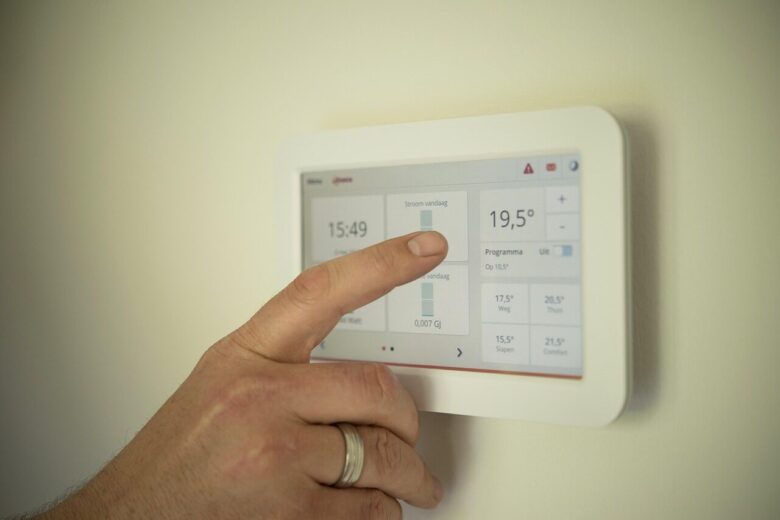
| Smart thermostat | Heating and cooling systems use different wiring, voltages, controls, and equipment configurations. | Use the manufacturer’s compatibility tool and obtain professional help when wiring is unclear. |
| Smart lock | Installation quality, battery condition, account security, and door alignment affect physical access. | Confirm dimensions, lock type, backup entry, battery alerts, and smooth deadbolt movement. |
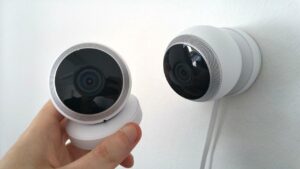
| Camera or video doorbell | Video, audio, cloud storage, subscriptions, shared access, and local privacy rules require consideration. | Review recording options, retention, power, field of view, account access, and ongoing costs. |
| In-wall switch | Electrical work may involve neutral wires, load types, multi-way circuits, and local requirements. | Verify wiring and product compatibility. Use a qualified electrician when appropriate. |
| Connected smoke or carbon-monoxide alarm | This is safety equipment and must meet the relevant certification, placement, testing, and replacement requirements. | Follow local rules and manufacturer instructions. Do not replace required alarms with a general-purpose sensor. |
When to contact support or hire a professional
Manufacturer support is the right first contact when a device repeatedly fails to pair, disconnects despite a stable network, reports an unsupported accessory type, loses firmware updates, or does not expose the expected features in your platform.
Professional installation is a safer choice when a project involves:
- Unclear, damaged, unusual, or high-voltage wiring.
- Electrical panels, hardwired switches, or ceiling fixtures.
- Heating and cooling controls you cannot confidently identify.
- Door hardware that does not align or close smoothly.
- Integrated alarm, access-control, or building-management systems.
- Any task restricted to licensed professionals in your location.
Connected technology should not replace basic safety
A notification is not a repair, a water sensor does not stop every leak, and a camera does not physically secure a door. Keep appropriate alarms, locks, inspections, maintenance, and emergency plans in place.
Frequently asked questions
What should I buy first if I do not want a voice assistant?
Start with a smart bulb or smart plug that works well through its app and your chosen platform. Voice control is optional. You can also use schedules, sensors, wireless buttons, phone widgets, and physical controls.
Do I need a separate smart-home hub?
Not always. Some devices connect directly through Wi-Fi, while others require a bridge, controller, Thread border router, Zigbee hub, Z-Wave hub, or other compatible hardware. A speaker, display, router, or streaming device may include some controller functions, but support varies by exact model.
How many devices should a beginner buy?
Two to four devices are enough for a useful first experiment. For example, begin with one controller, one or two lights or plugs, and one sensor. Expand only after the system has remained reliable for at least several days.
Will smart-home devices work when the internet is down?
It depends on the product, connection method, ecosystem, and automation design. Some local controls may continue working on the home network, while cloud-dependent voice commands, remote access, notifications, or manufacturer services may stop temporarily. Avoid relying only on cloud features for critical functions.
Can one Matter device be used with multiple ecosystems?
Matter includes multi-admin capabilities intended to allow supported devices to be shared across compatible platforms. Actual setup, supported device categories, features, and controller requirements can vary, so check the instructions from the device maker and each platform.
Are inexpensive smart-home devices a good choice?
A lower-cost bulb or plug may be reasonable when it has clear electrical specifications, current platform compatibility, a usable app, appropriate certification, security updates, and understandable support policies. For locks, cameras, thermostats, alarms, and other sensitive devices, reliability and long-term support deserve more weight than the lowest price.
The practical bottom line
A good beginner smart home is small, understandable, and useful even when nobody is impressed by it. Choose one main ecosystem, improve one room, and begin with a bulb, plug, or sensor that solves a real problem.
After the first routine works reliably, expand slowly. Cameras, locks, thermostats, hardwired switches, and security equipment can come later, when you understand the platform and have checked installation, privacy, compatibility, and backup requirements.
The goal is not to connect everything. The goal is to make everyday life a little easier without making the home harder to use.
Official resources for further checking
Editorial note: This guide was prepared by the Dona Living Editorial Team using official platform and connectivity resources. It provides general educational information and does not replace manufacturer instructions, local electrical requirements, privacy rules, safety guidance, or professional installation. Product features and compatibility can change, so verify important details before purchasing or installing a device.
Dona Living Editorial Team creates practical, well-researched content about home organization, cleaning, décor, and smart living. Our goal is to help readers make everyday life at home simpler, more comfortable, and more efficient through clear guides, realistic ideas, and useful solutions.