The least expensive smart home is not the one built from the cheapest devices. It is the one that avoids duplicate hubs, unnecessary subscriptions, incompatible products, unsafe shortcuts, and gadgets that solve no recurring problem.
A useful first upgrade may cost very little—or nothing. A timer already built into a television, an existing thermostat schedule, a phone reminder, a router update, or a better placement for a lamp may solve the problem before another connected device is purchased.
When new equipment is justified, begin with one reversible improvement, calculate its complete ownership cost, and test it long enough to discover whether it genuinely fits the household.
Do not buy a device until you can describe its job
Use one sentence: “When this specific event happens, this device will perform this specific action, and the household will still have a simple manual fallback.”
Begin with a no-cost smart-home audit
Before comparing bulbs, plugs, cameras, speakers, and hubs, check what the home already provides.
Existing schedules
Review timers and schedules already available in the thermostat, television, router, appliances, phone, security system, and lighting controls.
Current platforms
Check whether a phone, speaker, television, router, or hub already supports the devices and routines you are considering.
Wi-Fi coverage
Test the intended installation area before buying. A weak connection can make an inexpensive device unreliable and encourage unnecessary replacement.
Actual behavior
Observe which lights, devices, doors, temperatures, or repeated actions genuinely create inconvenience or waste during a normal week.
A smart speaker is optional
Voice control can be convenient, but it is not required for home automation. Schedules, sensors, buttons, phone apps, hubs, and local controllers can operate routines without a voice assistant.
Buying a speaker only to control one lamp may add an account, microphone, power use, and platform dependency without solving enough of a problem to justify the expense.
Calculate the real ownership cost
Enter the expected purchase, installation, subscription, battery, accessory, and rebate amounts. The calculator does not predict savings; it shows how a seemingly inexpensive device can change over the selected ownership period.
The estimate excludes changing plan prices, repairs, taxes, financing, electricity use, internet service, device failure, and any energy savings. Verify current terms before purchasing.
Build the system in four spending phases
Phase one: correct the behavior without buying hardware
Use existing timers, phone reminders, thermostat schedules, appliance settings, repositioned lamps, and simpler household routines. Continue only when a recurring problem remains.
Phase two: add one reversible device
A suitable smart bulb, properly rated smart plug, button, or contact sensor can test the app, network, notifications, and platform without altering fixed wiring.
Phase three: connect one useful routine
Add a second device only when it improves the first routine—for example, a motion sensor controlling an existing compatible light after dark.
Phase four: consider permanent or higher-cost upgrades
Thermostats, switches, locks, cameras, exterior equipment, valves, and monitored systems deserve compatibility, installation, privacy, subscription, and long-term-support review.
Choose one control path—not necessarily one brand
Consistency reduces waste
A main control platform can reduce duplicate apps and hubs. That does not mean every device must come from the same manufacturer.
Check these details for every product
- Which platform or app provides daily control?
- Is the manufacturer app still required for setup or updates?
- Does the device require a separate hub, bridge, controller, or account?
- Which features work locally and which require internet or cloud service?
- Can several household members receive suitable access?
- What remains usable if the platform or manufacturer ends support?
Matter can reduce some compatibility barriers, but it is not a universal feature guarantee
Matter is an IP-based smart-home connectivity standard. Matter devices may communicate using Ethernet, Wi-Fi, or Thread depending on the product. A Matter-over-Thread device requires access to a compatible Thread border router, which may already be built into a router, hub, speaker, or another controller.
Confirm the device category, controller, platform, network technology, and specific features you need. Advanced manufacturer functions may remain available only in the original app.
Match the first purchase to the problem
| Recurring problem | Low-cost starting point | Check before purchasing | Upgrade to delay |
|---|---|---|---|
| A lamp is frequently left on | Existing timer, smart bulb, or properly rated smart plug | Bulb fitting, dimmer compatibility, load rating, manual control, and restart behavior | Replacing the wall switch or buying a new lamp immediately |
| A hallway is dark at night | Plug-in night light or motion sensor with compatible lighting | Detection range, brightness, pets, timeout, power source, and placement | Whole-home motion lighting |
| You forget whether a door was opened | Contact sensor | Hub requirement, adhesive, alignment, battery, app alerts, and frame shape | A camera when visual recording is not needed |
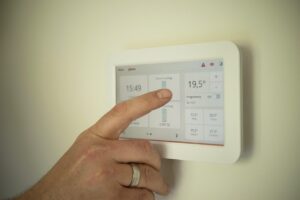
| The home is heated or cooled while empty | Improve the existing thermostat schedule first | HVAC type, wiring, heat-pump behavior, rebates, and installation | Buying a thermostat before compatibility is confirmed |
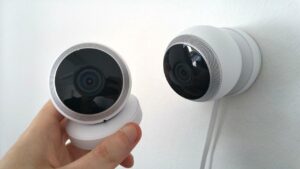
| You want to screen visitors | Existing peephole, intercom, or permitted door camera | Recording rules, building permission, subscription, power, and storage | Several indoor and outdoor cameras at once |
| Routine floor debris builds up | Improve the existing cleaning schedule | Floor type, cables, stairs, pet waste, storage, maintenance, and replacement parts | A robot vacuum before the floor can remain clear |
For a broader comparison of beginner devices, see the smart-home device guide for beginners. For routine design, use the guide to automating daily tasks with simple devices.
Pass every smart plug through a safety gate
Often reasonable after verification
- Table and floor lamps
- Decorative lighting
- Low-power electronics that tolerate power interruption
- Some fans when switched operation is permitted by the manufacturer
- Devices that return to a safe state after power restoration
Do not automate casually
- Portable space heaters
- Irons and hair-styling tools
- Hot plates and cooking appliances
- Electric blankets and heating pads
- Medical or life-support equipment
- Large motors, pumps, compressors, or appliances without explicit approval
A smart plug does not make an appliance safe for unattended use
Confirm the plug’s electrical rating, the appliance manufacturer’s instructions, the outlet condition, and what the appliance does after power is interrupted and restored.
Do not use an inexpensive connected switch to bypass a safety control, automate an appliance that should be supervised, or operate equipment above the device’s supported load.
Include hidden costs before comparing prices
Camera history, person detection, package alerts, extended clips, and monitoring may require a recurring plan.
A sensor or lock may require a bridge, hub, controller, border router, power adapter, or signal extender.
Batteries, filters, replacement sensors, mounting materials, and compatible parts can affect long-term cost.
Fixed wiring, HVAC controls, locks, exterior mounting, and electrical work may require qualified assistance.
Read the free-plan limits before buying a camera
Check whether live viewing, notifications, recording, clip length, download, local storage, multiple users, person detection, and video history work without a paid plan.
Also check whether the subscription applies per household, per account, or per camera. An affordable first camera can become an expensive multi-camera system when every additional device increases the monthly fee.
Budget for account security as part of the installation
Use a password that is not reused for email, shopping, banking, or another connected device. Change factory-default credentials where applicable.
Enable it when the manufacturer offers it, especially for cameras, locks, alarms, location routines, and cloud accounts.
Keep the device firmware, manufacturer app, controller, phone, and router updated. Check whether automatic updates are supported.
Give each resident appropriate access rather than sharing one master password. Remove former residents, guests, phones, and integrations promptly.
Look for clear information about security updates and what functions remain available when software or cloud support ends.
A guest or isolated smart-device network can be useful when the router supports genuine network separation. However, some devices need local communication with a phone, hub, speaker, or controller. Follow the router and device instructions instead of assuming every guest network configuration will work correctly.
Use sales, refurbished devices, and secondhand products carefully
Check current utility and local incentives before ordering thermostats or energy-management equipment. Eligibility may depend on the exact model, account, installer, purchase date, application process, or participation in a utility program. A promotional estimate is not a confirmed rebate.
Use a 30-day expansion rule
Keep the receipt and packaging while allowed, then test the device through ordinary household conditions before adding another product.
Installation
Confirm account setup, Wi-Fi reliability, manual control, notifications, updates, and electrical or physical stability.
Routine
Create one simple automation with a clear trigger, action, and exit rule. Avoid overlapping schedules.
Shared use
Ask another resident to operate, override, and troubleshoot the device without your help.
Decision
Keep, reconfigure, return, relocate, or remove it before purchasing the next device.
Delay devices with higher installation or failure consequences
Smart switches and outlets
Fixed electrical work requires correct wiring, box space, neutral-wire assessment, grounding, circuit compatibility, local requirements, and safe installation.
Smart thermostats
Heat pumps, auxiliary heat, multiple stages, zoning, communicating systems, and variable-capacity equipment require careful compatibility checks.
Smart locks
Door alignment, emergency access, lease permission, battery failure, fire safety, backup keys, and building access all matter.
Water valves and high-load equipment
Installation errors can create water damage, equipment damage, electrical hazards, or failure during an emergency. Qualified support may be appropriate.
For thermostat-specific costs, use the smart versus traditional thermostat comparison. For entry monitoring, see the guide to security gadgets for apartments and small homes.
Mistakes that make a budget smart home expensive
A discounted multi-pack creates poor value when the Wi-Fi, app, brightness, sensor behavior, or household routine does not work as expected.
A compatible add-on may provide the needed scheduling or control without replacing a lamp, television, fan, thermostat, or household appliance.
A cheaper device may require a hub, subscription, difficult batteries, proprietary accessories, or early replacement.
Several manufacturer apps increase account management, updates, notifications, training, and troubleshooting.
A connected device saves energy only when it changes wasteful behavior or equipment operation enough to exceed its purchase and operating costs.
A lamp, thermostat, lock, or household control should remain understandable when the app, internet, cloud service, phone, or automation fails.
Four practical answers
What is the cheapest useful first device?
There is no universal answer. A smart bulb or properly rated plug may suit lighting, while a contact sensor may be more useful for an entrance. Start with the problem occurring most often.
Do I need a hub?
Not for every device. Some connect directly by Wi-Fi, while others use a hub, bridge, or Thread border router. Include any required controller in the cost before buying.
Will smart plugs lower the electricity bill?
Only when they reduce meaningful unnecessary use. Switching off a low-power device may save very little, while unsafe appliance automation is never justified by a small possible saving.
How many devices should I buy during the first month?
One device or one closely related pair is enough to test the network, app, platform, automation, account security, manual control, and household acceptance.
A budget smart home should grow slowly
Begin with the behavior, schedule, or placement changes that cost nothing. When a recurring problem remains, choose one reversible device with a clear purpose and calculate its total ownership cost.
Confirm compatibility, electrical rating, platform support, subscription terms, software updates, privacy settings, return rights, and manual control before expanding.
The best value does not come from buying the largest system at the lowest advertised price. It comes from purchasing fewer devices, giving each one a defined job, and refusing to expand until the current setup has proved useful.
Official smart-home, energy, and security resources
- Connectivity Standards Alliance: Matter smart-home standard
- Connectivity Standards Alliance: Matter, Thread, and border routers
- Federal Trade Commission: Securing internet-connected devices at home
- Federal Trade Commission: Securing a home Wi-Fi network
- ENERGY STAR: Smart-home tips for saving energy
- ENERGY STAR: Smart Home Energy Management Systems
- U.S. Consumer Product Safety Commission: Product recalls
Editorial note: This guide was prepared by the Dona Living Editorial Team for general smart-home planning. Prices, subscriptions, rebates, platform features, device support, electrical requirements, lease rules, privacy obligations, and product compatibility vary. Follow manufacturer instructions and obtain qualified assistance for fixed wiring, HVAC controls, locks, exterior equipment, security systems, water valves, and other higher-risk installations.

Dona Living Editorial Team creates practical, well-researched content about home organization, cleaning, décor, and smart living. Our goal is to help readers make everyday life at home simpler, more comfortable, and more efficient through clear guides, realistic ideas, and useful solutions.